
Code Snippets is a WordPress plugin that enables developers to add custom scripts directly into their sites. These scripts function like shortcodes that can be injected into WordPress templates. With the rapid growth of AI tools, more developers are moving away from purchasing plugins and instead prefer creating their own custom code or snippets to support their development projects.
How to Use Code Snippets
- Just install the Code Snippets from WordPress Plugin
- Upgrade to Code Snippets Pro for better functionality
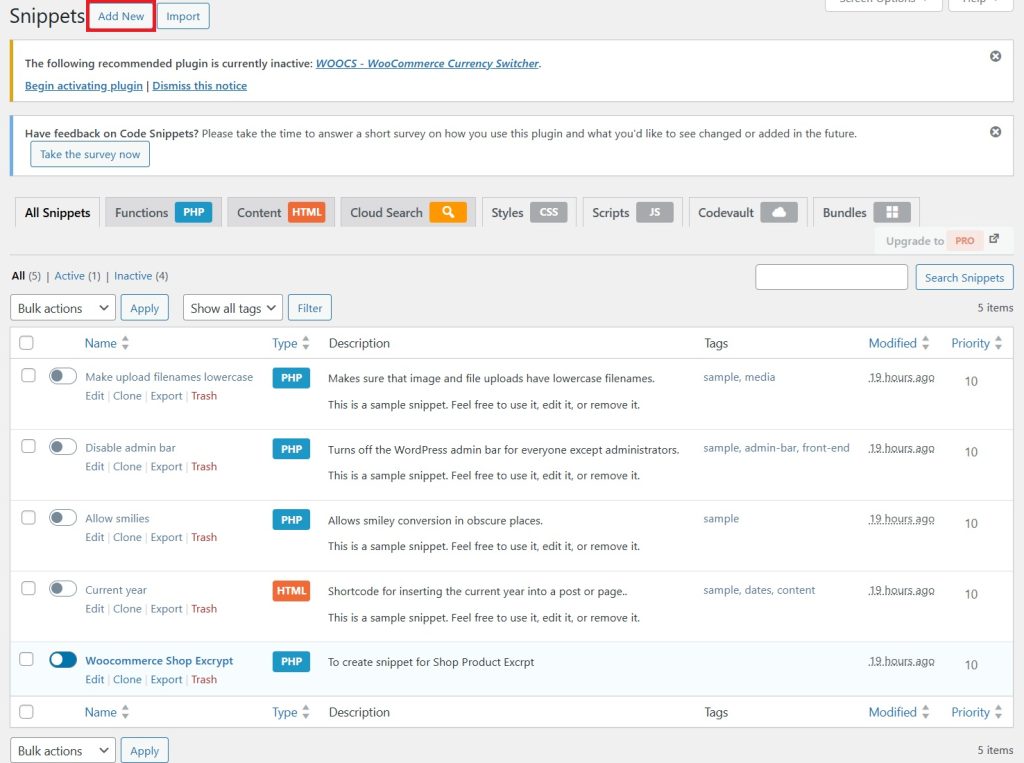
- Once install you Activate -> Dashboard -> Add new
- Write your code and make sure you choose the type of code you are writing PHP and HTML. If you need other features you may need to pay for the PRO for better functionaility
How to Write The Code
You can start writing using Chatgpt or Gemini. It can easily craft out the code for you without spendin much on other expensie plugins.
How i use the code
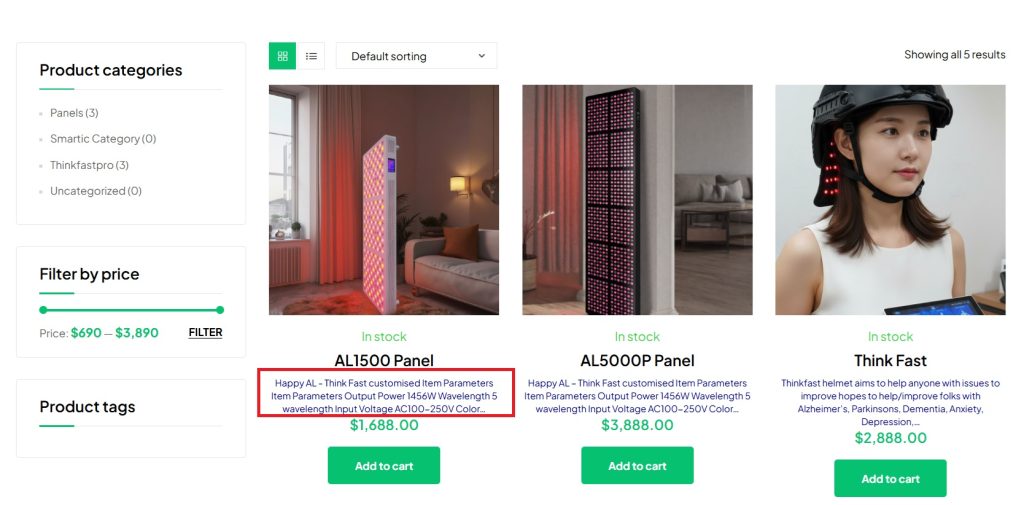
Here’s the result of the code. It offers a sleek and efficient way to customize the WooCommerce Product Archive without having to spend hundreds on third-party plugins. I used to spend like RM 200 – RM 500 to purchase plugins just implement some small changes. Now with the help of a bit coding knowledge and code snippets, we are able to save a lot using this cde snippets