

IF you are developing website for MNC( Multinational Companies), you may run into SRI (Sub Resource Error) issues. This is really normal because most of the MNC are equipped with Firewall and network endpoint for security.
What is SRI?
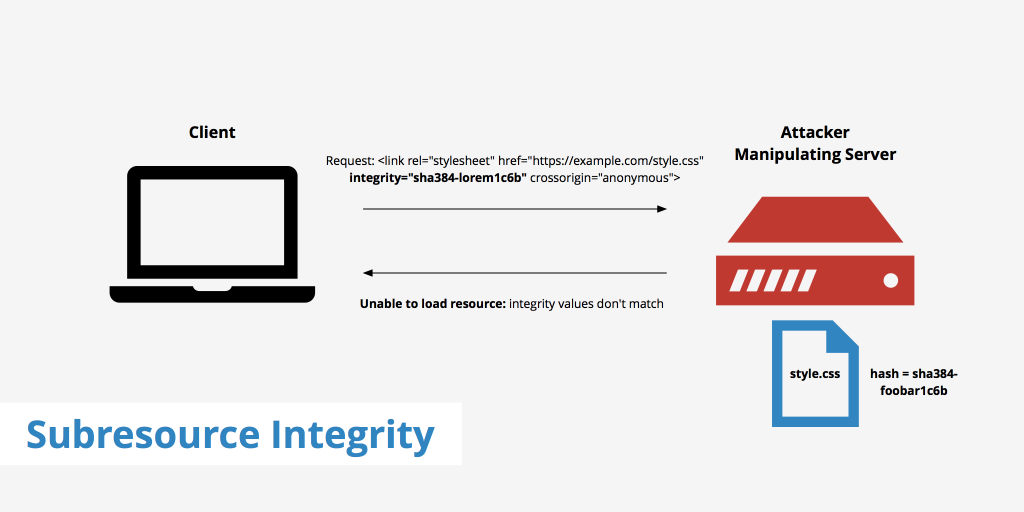
Sub Resource Integrity (SRI) is a security feature in HTML that ensures a file loaded from an external source has not been modified or tampered with.
It is commonly used when loading files from CDNs (Content Delivery Networks) such as JavaScript libraries or CSS files.
How to Solve SRI issue?
Two method to do it, you can either do it manually or using WordPress plugin.
a) If you are running own VPS, you can manually include the integrity by Using the open SSL command
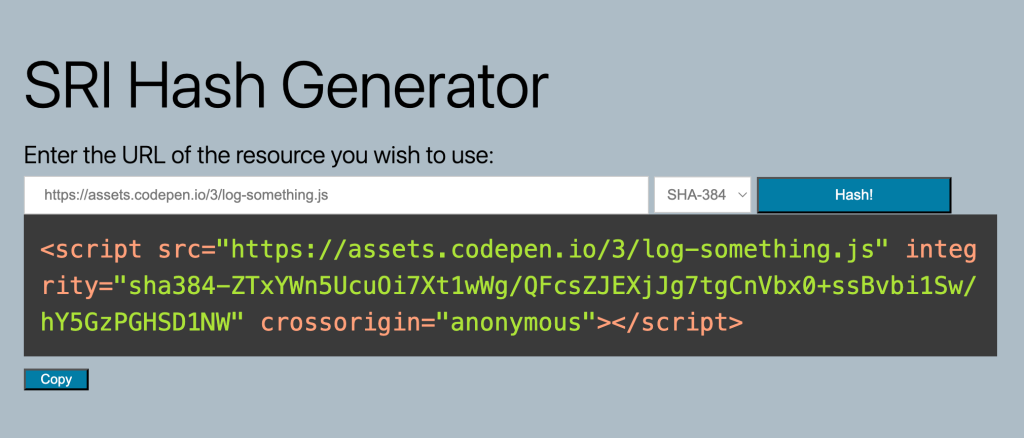
b) If you are are running shared hosting, you can include the integrity manually by going into https://srihash.org/
c) If you are running WordPress site you just need to install the SRI plugins. Let the plugin do all its work
Which is easier to be implemented without hassle?
| Method | Difficulty | Best For | How It Works |
|---|---|---|---|
| Online Generator (srihash.org)
⭐⭐⭐⭐ |
Very Easy | Shared Hosting / Quick Use | Paste the JS or CSS URL into the generator and copy the generated integrity hash. |
| OpenSSL Command
⭐⭐ |
Easy | VPS / Developers | Run an OpenSSL command on the server to generate the SHA384 hash of the file. |
| WordPress Plugin
⭐⭐⭐⭐⭐ |
Very Easy | WordPress Websites | Install an SRI plugin that automatically generates and adds integrity hashes. |
How to implement using Srihash.org?
Step 1: Copy the CDN URL
Find the JavaScript or CSS file used on your website and copy its CDN link.
For example:
https://cdn.jsdelivr.net/npm/bootstrap@5.3.3/dist/css/bootstrap.min.css.
Step 2: Generate the Hash
Go to srihash.org.
Paste the CDN URL into the generator and click Generate.
The tool will calculate several hashes such as SHA256, SHA384 and SHA512.
Step 3: Copy the SHA384 Hash
After generation, copy the value beginning with
sha384-.
This is the integrity fingerprint for the file.
Step 4: Add the Integrity Attribute
Add the hash into your HTML tag.
<link rel="stylesheet"
href="https://cdn.jsdelivr.net/npm/bootstrap@5.3.3/dist/css/bootstrap.min.css"
integrity="sha384-xxxxx"
crossorigin="anonymous">
Step 5: Test Your Website
Save your HTML file and reload the website.
Open Developer Tools (press F12) and check the console.
If the hash is correct, the resource loads normally.