

Thinking of hosting your website on Cloudflare Workers? Its edge computing platform offers impressive speed and is becoming an increasingly popular hosting option. I recently tested it with my Next.js website, and the performance was amazing.
In this guide, I’ll walk you through setting up Cloudflare Workers, deploying your Next.js website, and troubleshooting common issues you may encounter during migration.
Note: This guide documents my deployment using OpenNext. Your setup and results may differ depending on your Next.js version, dependencies, and project configuration.
Step by step Set Up
Step 1:
Create a Cloudflare account. https://www.cloudflare.com/
Step 2:
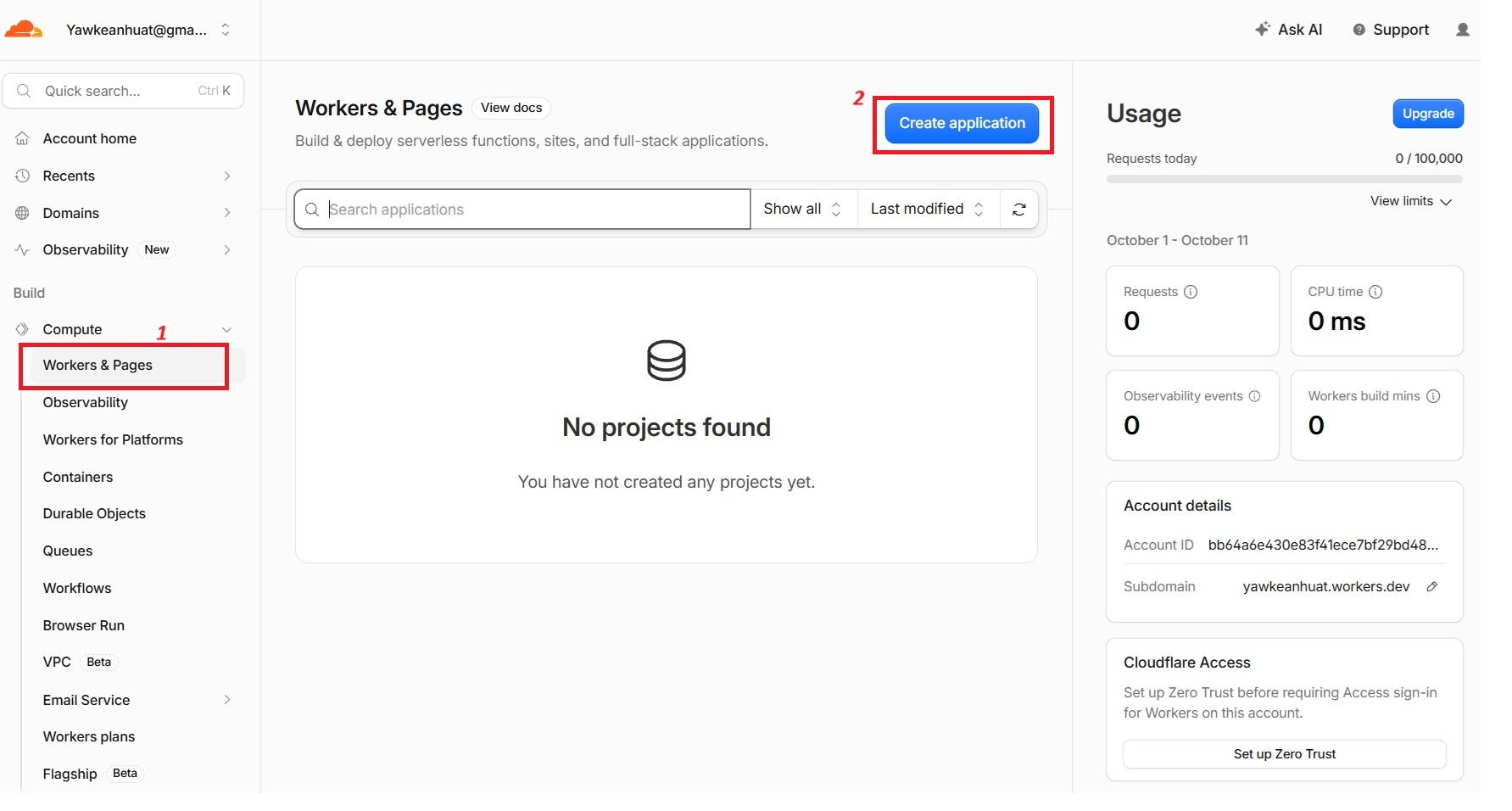
Click on the Compute then select Worker& Pages
Step 3:
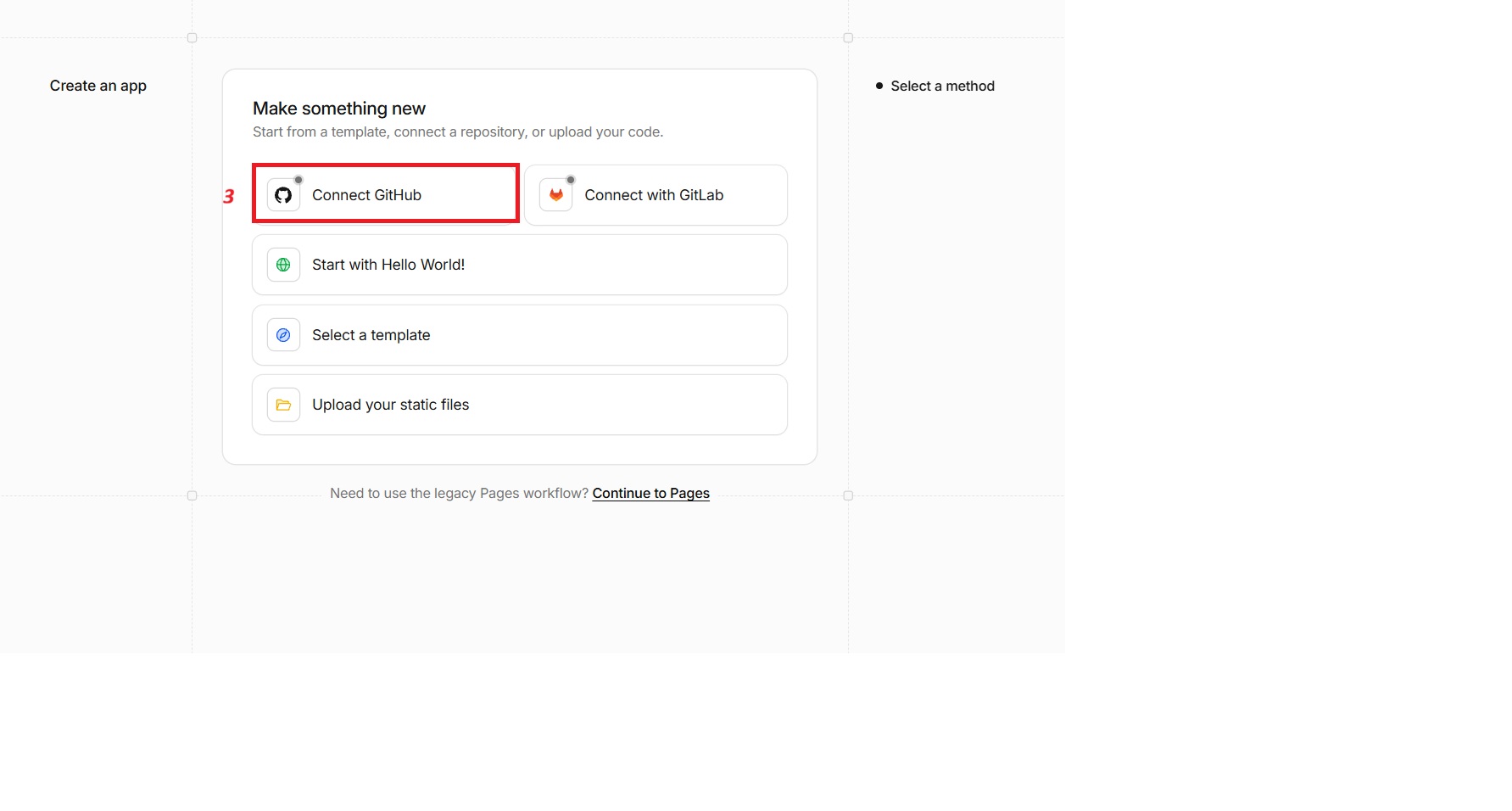
Just connect the cloudflare to your GitHub. If you need help with setting up GitHub, please visit this link
Step 4:
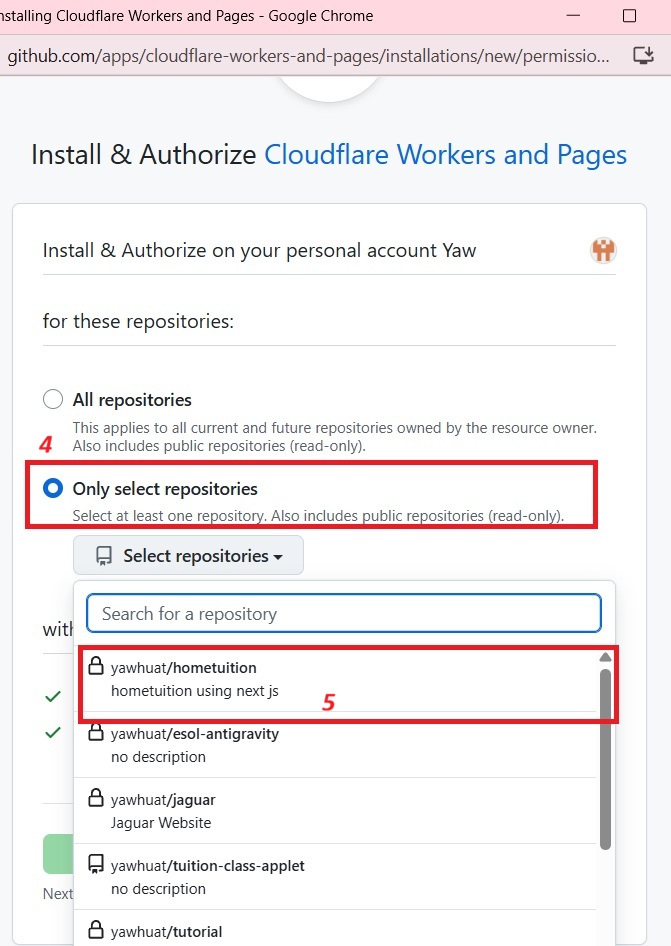
You will need to authorised Cloudflare Workers and Pages to access your GitHub repository
Step 5:
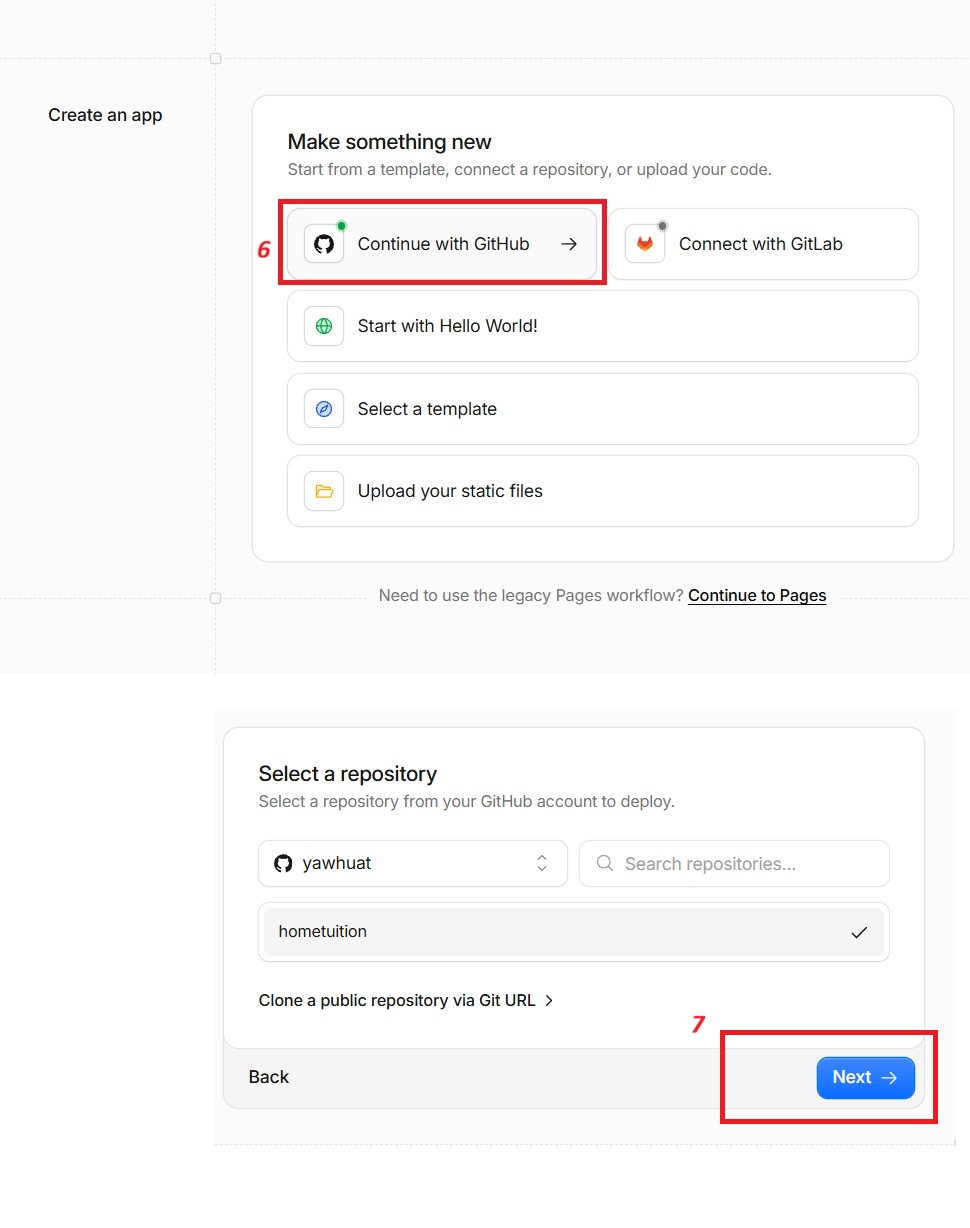
Click Continue with GitHub, then select the GitHub account containing your website’s source code. Choose the repository you want to deploy—for example, hometuition—and click Next.
This connects the selected repository to Cloudflare so it can retrieve your code during the build process. You do not need to clone the repository manually onto your computer.
Step 6:
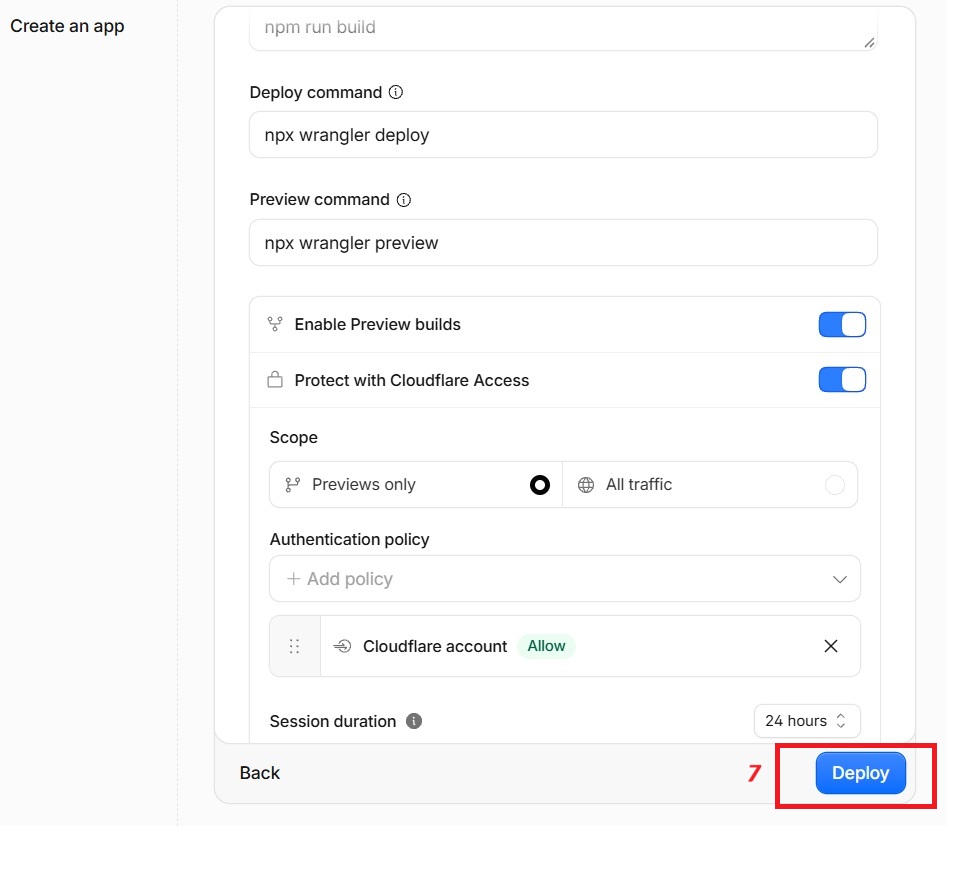
Review the commands Cloudflare will use to build and deploy your website. For the Next.js with OpenNext setup described in your article, use:
| Setting | Command |
|---|---|
| Build command | npx @opennextjs/cloudflare build |
| Deploy command | npx @opennextjs/cloudflare deploy |
The build command prepares your Next.js application for the Workers runtime. The deploy command uploads the prepared application to Cloudflare.
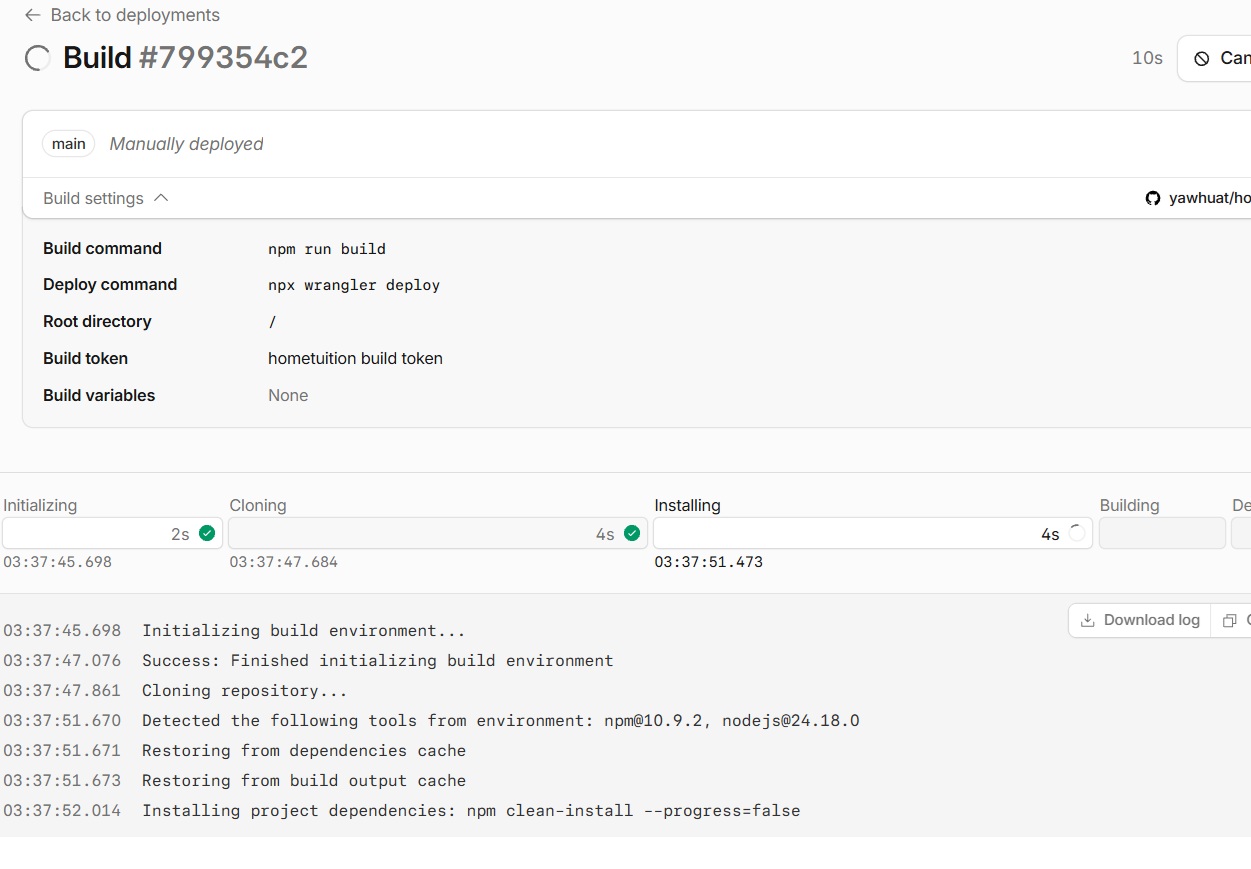
Click Deploy to start the process. Cloudflare will retrieve your code, install dependencies, build the application, and attempt deployment. You can then follow the progress in the build logs shown in Step 7.
Step 7:
Ths is how the build process will look like. Once you have completed the build, you will get a link to preview your website.
Encountering common problems
Cloud flare can be really sensitive to the name and its usage. In my deployment i encounters two main issues when deploying Next.js to Cloudflare Workers:
| Issue | Cause | Fix |
|---|---|---|
| Deployment failed — Error 10143 | Cloudflare deployed hometuition, butWORKER_SELF_REFERENCE pointed to the nonexistentedupro-home-tutor. |
Changing the package name to hometuition resolved the mismatch in the automatic configuration. Worker name and WORKER_SELF_REFERENCE service target must match. |
| Website crashed — Error 1101 | OpenNext failed during server initialization withUnexpected loadManifest(/.next/server/preview-props.json) call!. |
Configure OpenNext explicitly and test a compatible Next.js version before redeploying.VS Code Cloudflare Workers Build Command: Deploy Command Save and retry deployment |
For more information about migrating your project to Cloudflare Workers, you may contact Nova Web. We will be able to assist you.